Deploy the AmneCore panel

Choose where to host your Amnezia VPN control panel: alongside the VPN server, on a separate server in your infrastructure, or as a service. We agree on compatibility, connectivity and scope before deployment.

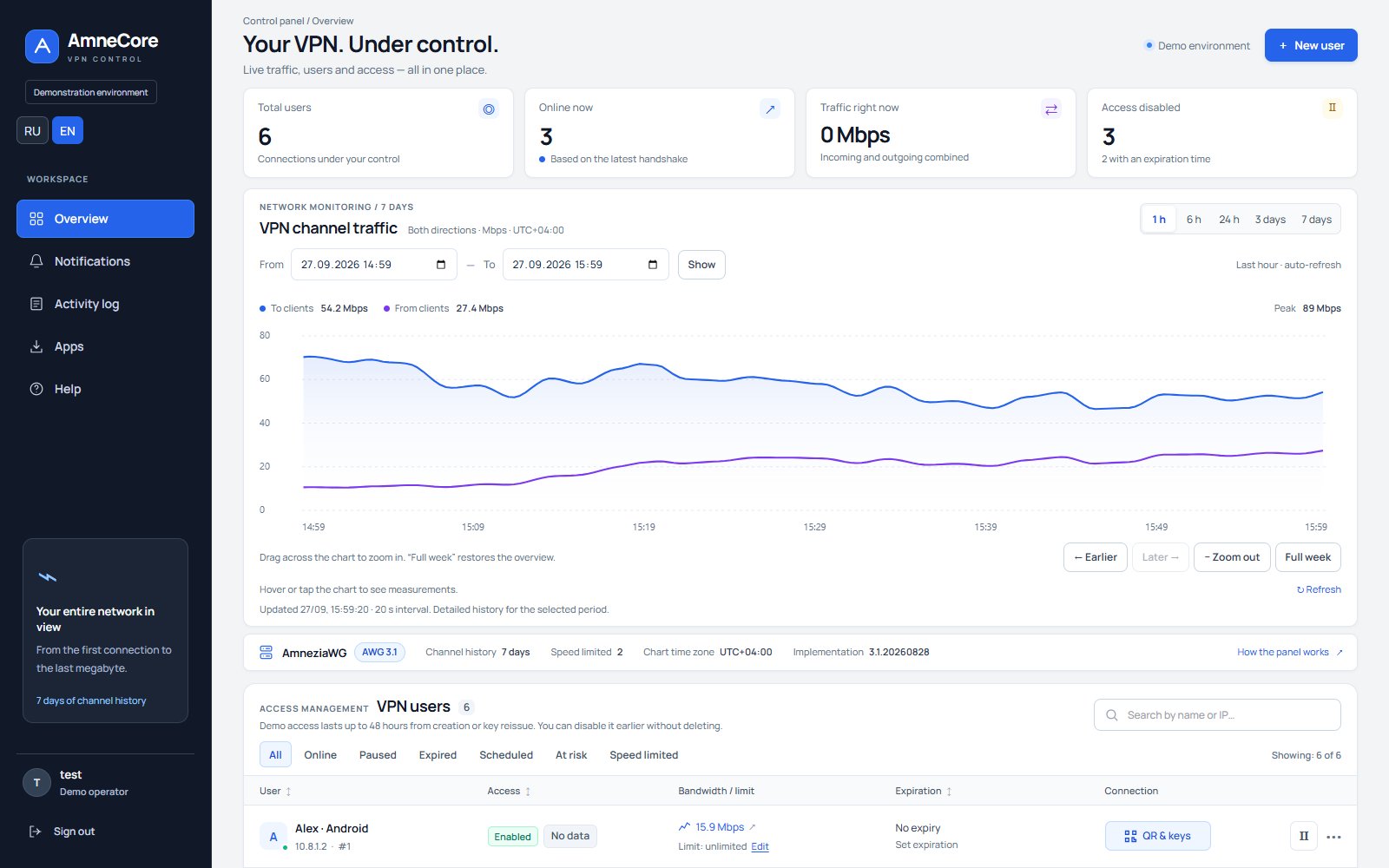
AmneCore control panel with sample data

Choose a deployment approach

For a quick start, install the panel alongside your Amnezia server. If isolation, redundancy and scalability are the priority, use a separate server in your data centre.

If you need a working VPN user management panel without maintaining your own infrastructure, consider a developer-hosted service model.

What to prepare for the discussion

  • Where is your server hosted, and which AmneziaWG version does it run?
  • How many users connect now, and what growth do you expect?
  • Which access periods and speed limits do you need?
  • Should the panel run on a separate server or alongside the VPN?
  • Who is responsible for updates, backups and server access?

A description of your setup is enough for the initial discussion. Do not attach passwords, private keys or user configurations to your request.

🖥️

On the same server as Amnezia

The panel is installed on the server running Amnezia VPN.

Benefits

  • Simple, quick deployment
  • Low latency
  • No additional server required

Considerations

  • The panel shares resources with the VPN server
  • Less flexibility when scaling

Best suited to

Small projects and environments with moderate traffic where a quick launch matters.

🏢

On a separate server in your data centre

The panel runs on a dedicated server in your infrastructure.

Benefits

  • Panel isolation
  • Panel workload is separate from the VPN
  • Easier scaling and redundancy

Considerations

  • A separate server is required
  • Network connectivity needs configuration

Best suited to

Companies with multiple teams and stronger availability and security requirements.

🌐

Subscription / SaaS

The panel is hosted by the developer, giving you a ready-to-use interface for managing VPN users.

Benefits

  • Quick start
  • Updates and support handled by the service
  • Clear subscription terms

Considerations

  • The connection model must be agreed
  • Define the SLA and access boundaries in advance

Best suited to

Customers who want to launch quickly without managing the panel infrastructure themselves.

Minimum requirements

Exact requirements depend on the deployment, but a basic environment alongside Amnezia is enough to get started.

CPU

1–2 vCPU

For demos and small projects.

RAM

1–2 GB RAM

For the interface, database and background jobs.

Disk

10+ GB

For the system, logs and room to grow.

Net

HTTPS

Domain-based access over a secure connection.

Deployment, step by step

①

Review your current setup

We establish where your Amnezia VPN server runs and how best to connect the panel to your infrastructure.

②

Deploy the panel

We install AmneCore on the chosen server and configure access, the domain and basic security.

③

Test and hand over

We check VPN user management, access key issuance, the activity log and support workflows.

Deployment questions

Where can I deploy AmneCore?

You can deploy the panel alongside your Amnezia server, on a separate server in your infrastructure, or use a developer-hosted service.

Does the panel need a separate server?

Not necessarily. For small installations, the panel can run on the same server. A separate server is preferable when isolation and scalability matter.

Can I try the demo before deploying the panel?

Yes. The demo lets you try creating users, importing profiles, managing access and monitoring traffic. For ongoing use, we separately agree on deployment in your infrastructure or a service model; test profiles do not replace configuring a production server.

Получить демо-доступ AmneCore

Оставьте контакты, и мы свяжемся с вами для демонстрации панели.

    Или напишите нам в Telegram: @amnecore_pro